Word Clocks...uh, yeah....

3
Its only necessary if you're using more than 2 digital devices and you want to sync all the clocks in your system together. Most devices have the option of using either word clock or an embedded clock in the digital signal. With only 2 devices you can use the emebedded clock. When you start getting many digital devices in your system they need to clock together and word clock is the easiest method.

Word Clocks...uh, yeah....

6
MillerTheeMajorMiller wrote:What are they for and should I be using mine?


In short, the word clock keeps the time for the sampling rate. The more accurate the clock, the better the digital conversions will sound. All digital devices have a clock. If you're using more than one digital device at a time, you need to run them off the same clock; once device is the master and the rest are timed off the master clock. If you don't have a standalone clock, which most people don't, the general rule is to use your best device as your maser clock.

You can make a not top notch degital device sound better by clocking it with a nicer clock. Just ask Mr. Weston about his 828s.

Cheers,
Ben Adrian
Last edited by benadrian_Archive on Tue Nov 01, 2005 1:29 pm, edited 1 time in total.

Word Clocks...uh, yeah....

7
Yeah. What he said.

The quality of the clock used in any digital audio device has a big effect on the audio quality. It's part of why CDs sound bad on your $100 CD player.

They all have an internal clock: CD players, DAT machines, DIGI 001, M Box, MOTU 828, your computer, etc. But the clocks in less expensive devices are not as accurate as an external stand-alone word-clocks by Apogee, Aardsync, Lucid, etc.

The clock spits out a pulse 44,100 times per second (if your sampling rate is 44.1kHz). With cheaper clocks, the spacing between each pulse isn't quite exactly the same. This induces jitter during the A/D and D/A conversion processes. Since we can't fix the crappy D/A in the listener's CD player, we can at least minimize one layer of jitter when we do our A/D on the way in.

What is the jitter? Your A/D converter looks at and measures the analog waveform's amplitude every time the clock pulses. If the clock isn't accurate, the converter isn't sampling the amplitude of the waveform at the right moment in time. So it's digitizing the waveform inaccurately - distorting it's shape.

Even if you then have a decent clock on the way out (D/A), it's too late. The distortion is already there. So without a decent clock during your recording, or during the listener's playback, you've got a double layer of crappy jitter. This is a big part of why CD's don't sound so good.

The biggest audible changes that I can hear during digital recording are:

1. word length/bit depth - going from using 16-bit to using 24-bit is huge, the most noticeable difference to me

2. external clock - switching to a higher quality external word clock is the next most noticeable improvement

3. sampling rate - cranking up the sampling rate from 44/48 to 88/96 is the least noticeable to me.

When using an external clock and always using 24-bit, 44.1 or 48 sounds good to me. Going to 96 or 192 is nice, but takes up a lot of disk space and processing power.

enjoy,
Bob

Word Clocks...uh, yeah....

10
Gramsci wrote:
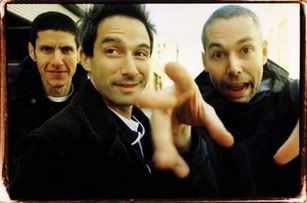
Rodabod wrote:If you want to know more about word clocks, I'd recommend having a chat with Flava Flav.
Image


Indeed! It's always important to know, WHAT TIME IT IS!!!"


a friend of mine almost got the shit kicked out of him for standing at the front of a PE gig shouting "WHATS THE TIME FLAVA" over and over again. bless.
My pretty pony! Why, Zorak, why? You could have had any woman you wanted! But you chose the woman I love almost as much as I love myself! You ruined my life, you ruined her life, and now, I'm going to ruin your life!!!

Who is online

Users browsing this forum: No registered users and 2 guests